
How to deposit on Lucky Vaults
You can deposit with the payment apps you already use. Pick your game, pay, upload the screenshot, and track your coins live.
Step by step
Tap Deposit
Use the Deposit button at the bottom of the screen.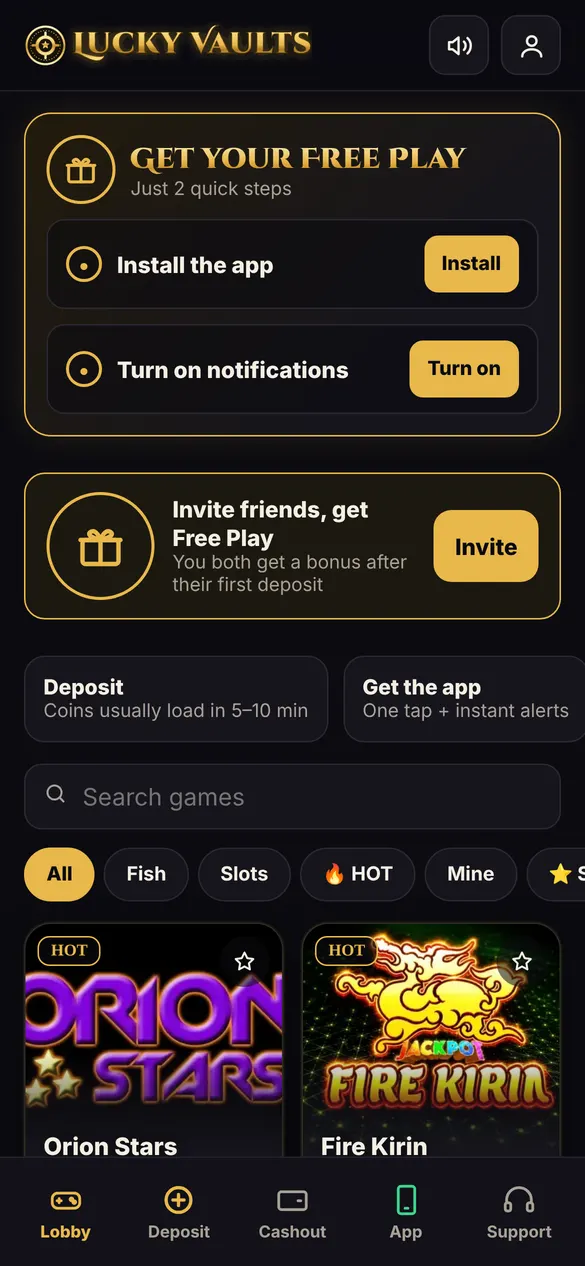
Pick your game and how you want to pay
Choose the game you want coins for, then Cash App, Chime, Apple Pay or Google Pay.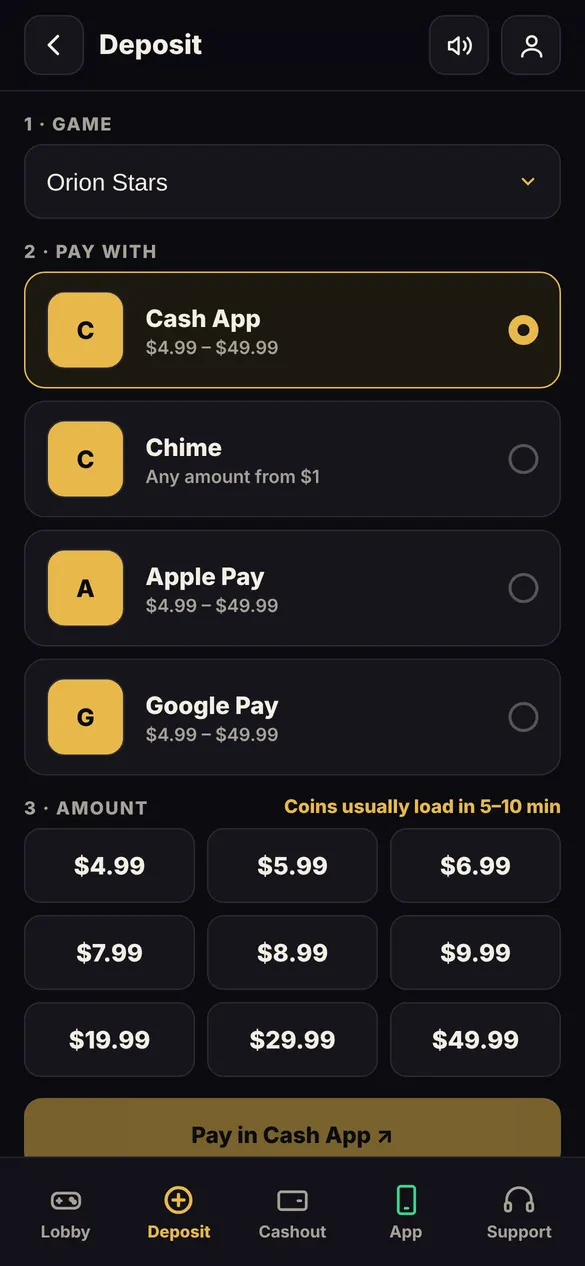
Pick an amount and pay
Choose an amount, tap the pay button, and send the exact amount in your payment app.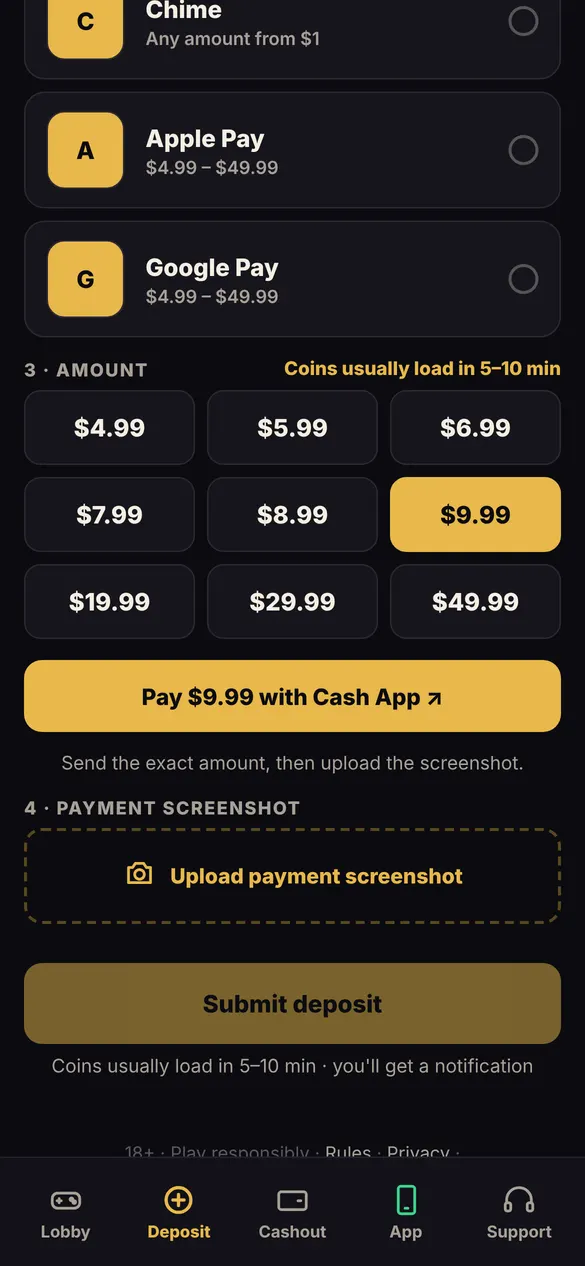
Upload your payment screenshot
Come back to Lucky Vaults, upload the screenshot, and tap Submit deposit.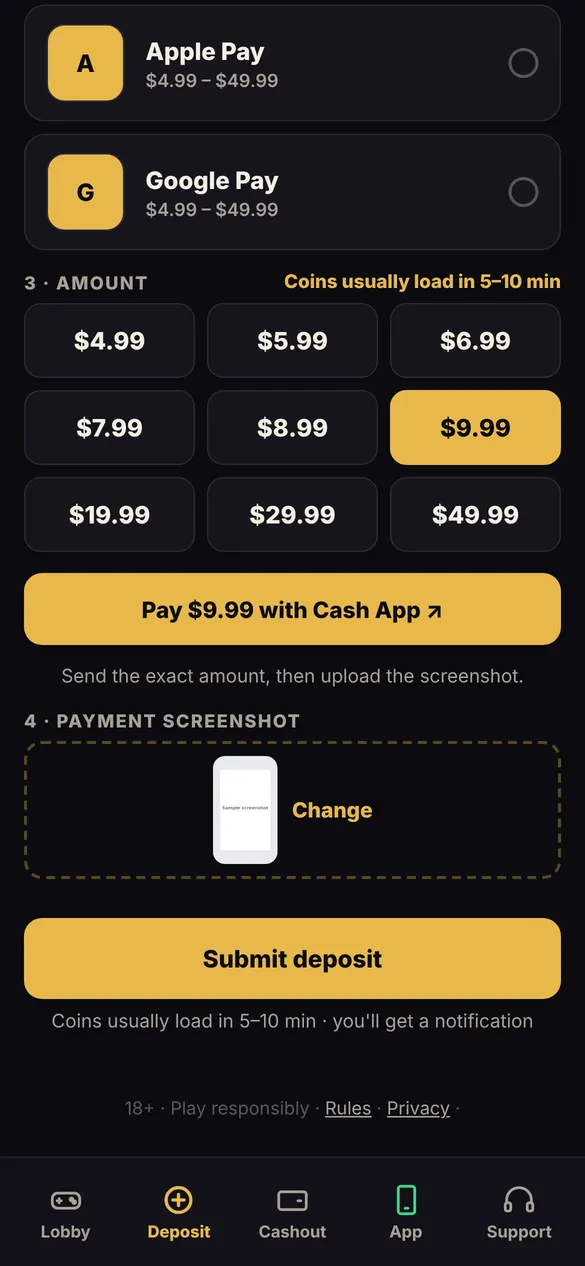
Track it live
Your deposit shows on your home screen. You get a notification when your coins are loaded.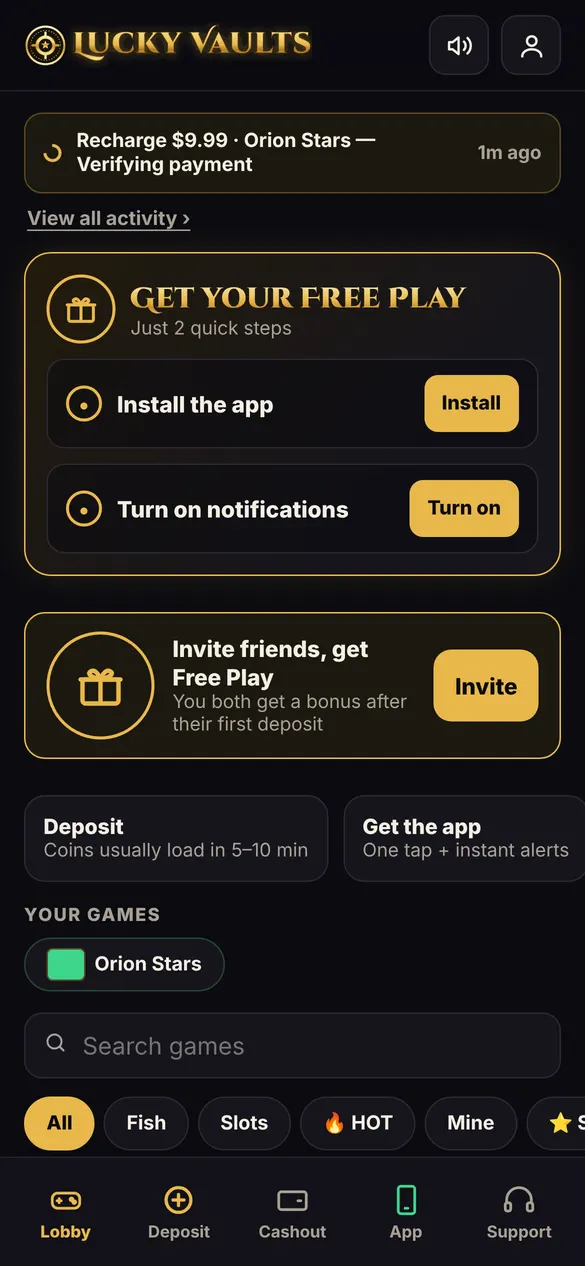
Questions
Which payment methods can I use?
The methods shown on the Deposit page, such as Cash App, Chime, Apple Pay and Google Pay.
Why do I upload a screenshot?
It lets our team match your payment and load your coins faster.
Something went wrong with my deposit
Open Support chat. Real people will check it for you.
More guides
How to sign up on Lucky Vaults How to cash out on Lucky Vaults How to get your Free Play on Lucky Vaults How to add Lucky Vaults to your iPhone home screen Invite friends to Lucky Vaults