
How to cash out on Lucky Vaults
Requesting a cashout takes a minute. Fill in a short form and track the status on your home screen.
Step by step
Tap Cashout
Use the Cashout button at the bottom of the screen. The page shows the current limits ($20 to $500).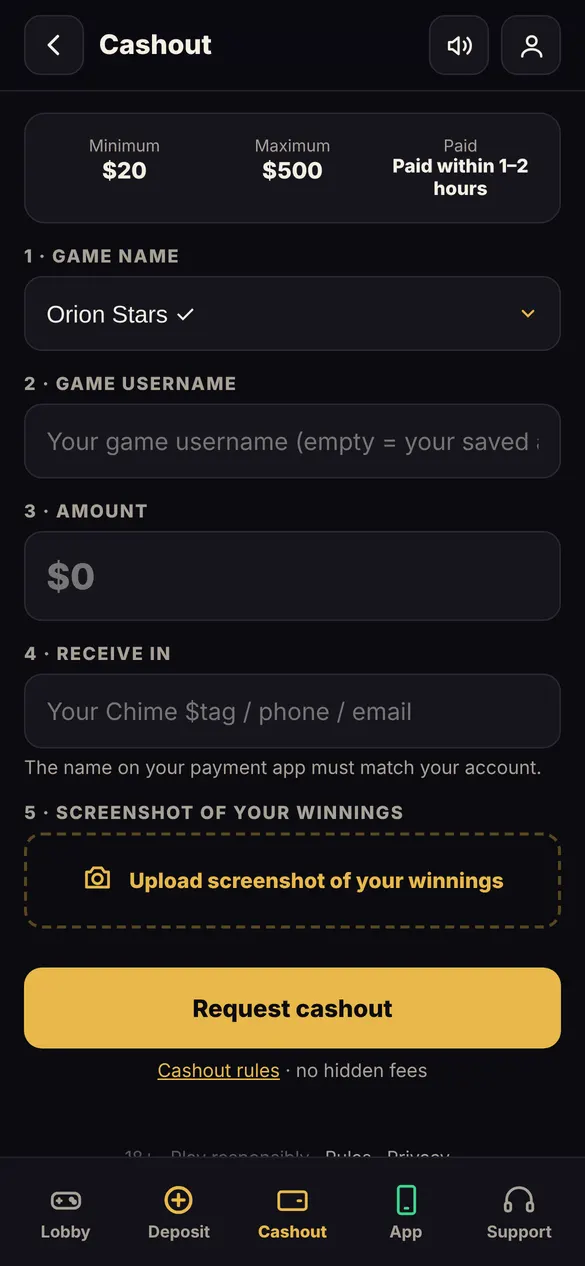
Enter your game and username
Pick the game, type your game username, the amount, and where you want to receive it.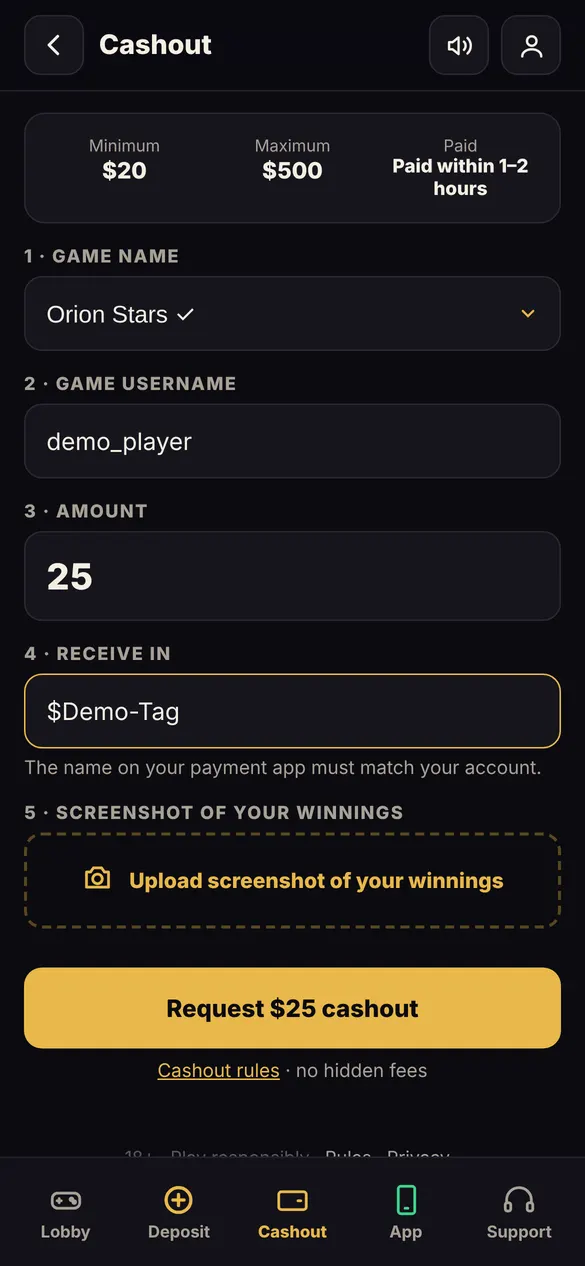
Add a screenshot and request
Upload a screenshot from your game and tap Request cashout.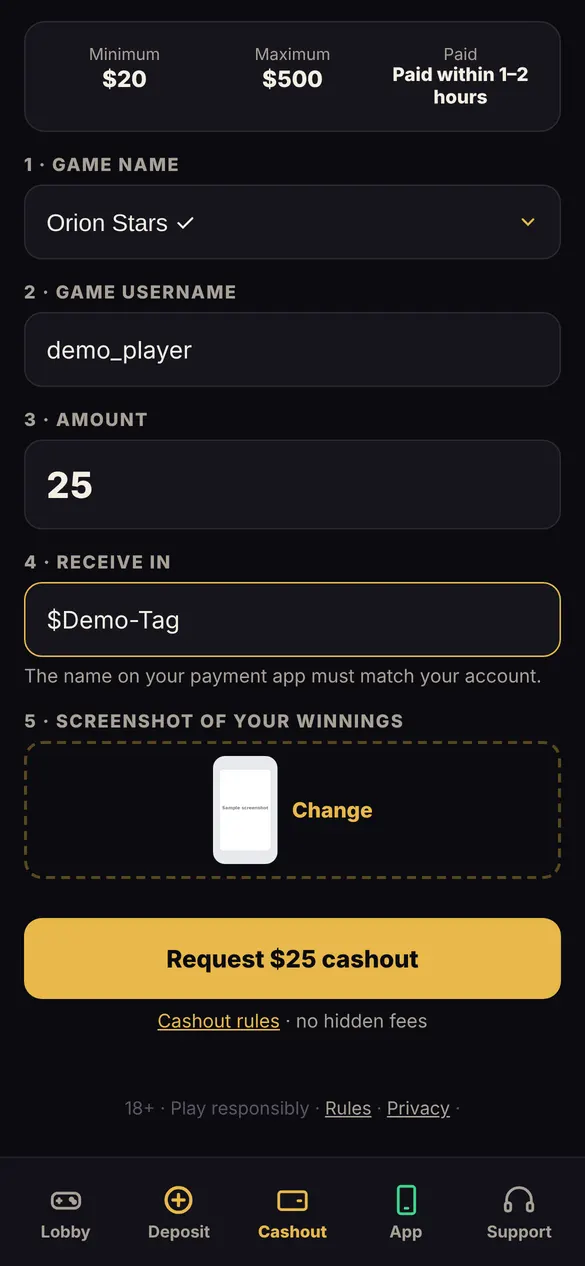
Track the status
Your cashout shows on your home screen with a live status.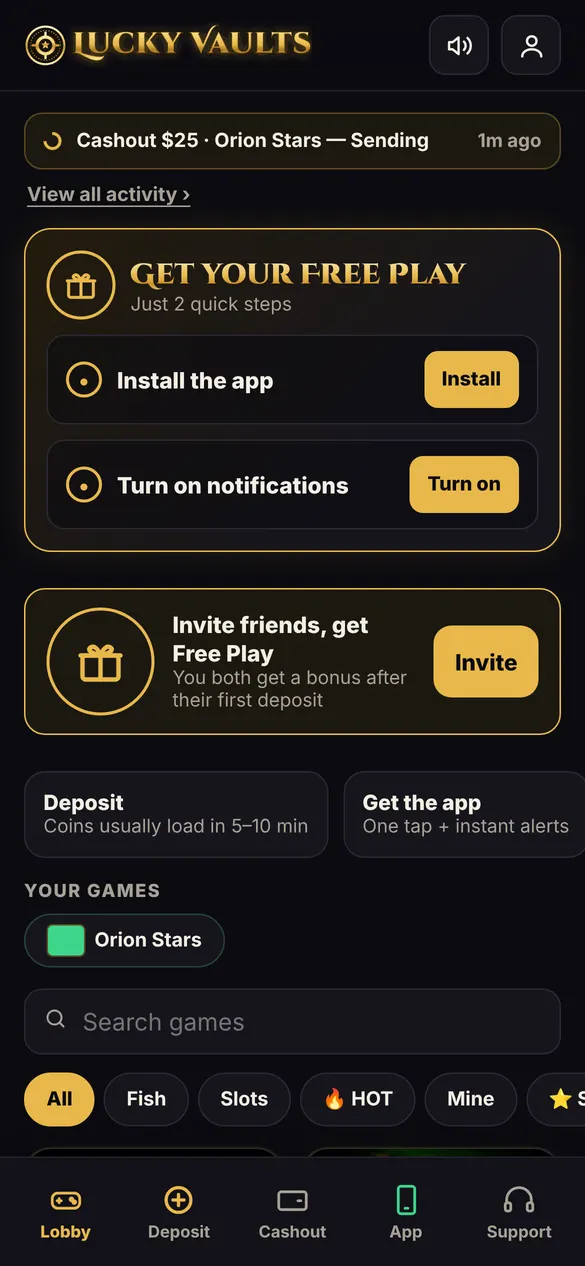
Questions
Where can I receive my cashout?
In the methods shown on the Cashout page.
The name on my payment app is different
The name on your payment app must match your account. Ask Support if you need help.
Are there cashout rules?
Yes. Read the Rules page linked at the bottom of every page.
More guides
How to sign up on Lucky Vaults How to deposit on Lucky Vaults How to get your Free Play on Lucky Vaults How to add Lucky Vaults to your iPhone home screen Invite friends to Lucky Vaults